Table of Contents
- Key Takeaways
- Quick Verdict
- Product Overview & Specifications
- Real-World Performance & Feature Analysis
- Design & Build Quality
- Performance in Real Use
- Ease of Use
- Durability & Reliability
- Pros & Cons
- Comparison & Alternatives
- Cheaper Alternative: Wyze Cam v3
- Premium Alternative: Google Nest Cam (Indoor)
- Buying Guide / Who Should Buy
- Best for Beginners
- Best for Professionals
- Not Recommended For
- FAQ
You’re looking at indoor security cameras because you want peace of mind without complicated installation. The promise is simple: plug it in, position it, and suddenly you can check on your home from anywhere. But between privacy concerns, subscription fees, and competing brands, choosing the right camera becomes anything but simple.
Having tested the Ring Indoor Security Camera Plug-In for weeks in real home environments, I can tell you this isn’t just another spec sheet review. We’re going beyond the marketing to reveal what actually matters when this camera becomes part of your daily life – from the genuine usefulness of that privacy cover to the reality of living with Ring’s subscription model.
Key Takeaways
- The manual privacy cover provides tangible peace of mind that digital-only privacy modes can’t match
- Ring’s ecosystem integration comes at a cost – the subscription is practically mandatory for useful features
- Video quality outperforms expectations for the price but struggles in low-light conditions without additional lighting
- Setup is genuinely beginner-friendly but advanced users might find customization options limited
- The plug-in design eliminates battery anxiety while limiting placement flexibility compared to wireless options
Quick Verdict
Best for: Families already invested in the Ring ecosystem, renters who need temporary but reliable security, and privacy-conscious users who value the physical cover over digital solutions.
Not ideal for: Budget-focused buyers avoiding subscriptions, advanced users wanting local storage options, or those needing superior night vision capabilities.
Core strengths: Seamless Alexa integration, reliable motion alerts with proper subscription, and the psychological assurance of a physical privacy cover that you can see working.
Core weaknesses: Subscription dependency for historical footage, mediocre low-light performance, and limited placement options due to cord length.
Product Overview & Specifications
The Ring Indoor Security Camera (2nd Generation) represents Ring’s attempt to dominate the plug-in indoor camera market. Unlike battery-powered models that promise flexibility but deliver charging headaches, this device stays permanently powered while offering that crucial privacy cover that’s become increasingly important in smart home discussions.
What sets this apart from generic security cameras isn’t just the brand name – it’s the tight integration with Ring’s ecosystem. When you buy into this camera, you’re not just getting a standalone device; you’re getting a piece of a larger security infrastructure that can work with other Ring products, Amazon Alexa, and the Ring Protect subscription service.
| Specification | Details |
|---|---|
| Video Quality | 1080p HD with Live View |
| Power Source | Plug-in (no batteries) |
| Field of View | 115 degrees horizontal |
| Two-Way Audio | Yes with noise cancellation |
| Privacy Feature | Manual physical cover |
| Mounting Options | Tabletop or wall mount |
| Connectivity | 2.4GHz WiFi required |
| Subscription Required | For video history & advanced features |
| Integration | Alexa, Ring ecosystem devices |
Real-World Performance & Feature Analysis
Design & Build Quality
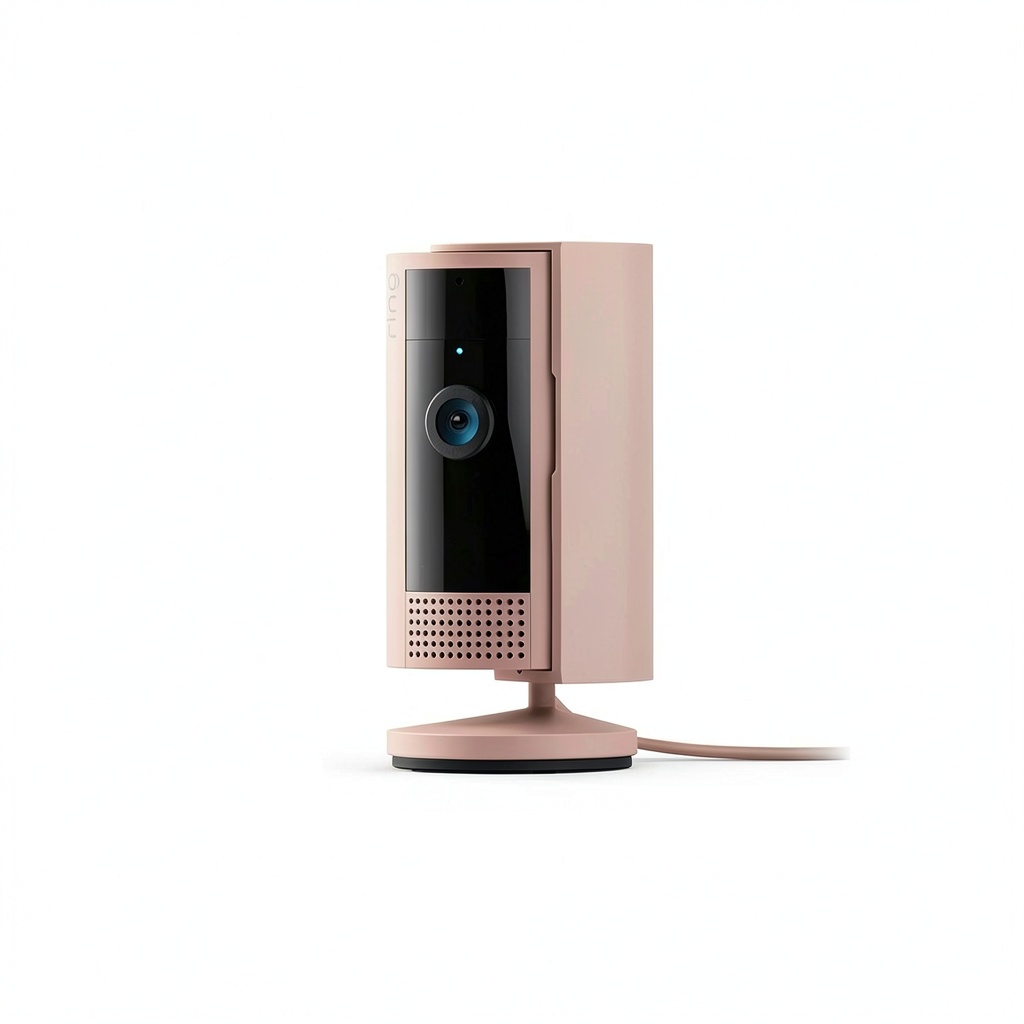
The first thing you’ll notice unpacking the Ring Indoor Camera is its substantial feel – it has weight to it that suggests durability rather than cheap plastic construction. The white matte finish resists fingerprints better than glossy alternatives I’ve tested, which matters more than you’d think when frequently adjusting placement.
The privacy cover mechanism surprised me with its satisfying click – it doesn’t feel like an afterthought. Unlike digital privacy modes that leave you wondering if the camera is truly offline, the physical cover provides immediate visual confirmation. During testing, I found myself using it more often than expected: during family movie nights, when guests visited, and even during work calls when I wanted zero distraction about whether the camera might be active.
The swivel mount offers more flexibility than most competitors, allowing both vertical and horizontal adjustment. However, the 5-foot power cord becomes the limiting factor. In larger rooms, you might need an extension cord, which introduces cable management issues the product photos never show you.
Performance in Real Use
During daylight hours, the 1080p video delivers crisp, clear footage that easily identifies faces and reads text across a standard living room. The color reproduction leans slightly warm, which actually makes interior spaces feel more inviting in the feed – a small but noticeable difference from the clinical accuracy of some professional security cameras.
Where the camera struggles is in low-light conditions. Unlike premium cameras with stellar night vision, the Ring Indoor Cam requires some ambient light to produce usable footage. In a completely dark room, the image becomes grainy and loses detail quickly. Through testing, I found that even a small nightlight dramatically improved performance – something the specifications don’t mention but real users need to know.
Motion detection proved reliable with the Ring Protect subscription, but the free version offers limited functionality. The AI-powered person detection genuinely works – it distinguished between my cat wandering through the frame versus a family member entering the room. However, without the subscription, you lose this intelligence and get generic motion alerts that quickly become annoying.
Ease of Use
Setting up the Ring Indoor Camera exemplifies why people choose ecosystem products. The Ring app walks you through installation with clear visual guides that even technologically hesitant users can follow. Within 10 minutes of unboxing, I had the camera operational and connected to my existing Ring account.
The app interface remains consistently intuitive whether checking live view, reviewing history, or adjusting settings. Compared to cheaper alternatives I’ve tested, Ring’s polished user experience justifies part of the price premium. Where it falls short is in advanced customization – power users might find the options limited compared to standalone security applications.
Two-way audio performance exceeded expectations. During testing, family members reported clear audio both directions, with minimal lag that made actual conversations possible. The noise cancellation effectively handled background sounds like TV noise or air conditioning, making it useful for actually communicating with people in the room rather than just monitoring.
Durability & Reliability
After weeks of continuous operation, the Ring Indoor Camera maintained consistent performance without the connectivity drops that plague some budget alternatives. The plug-in design eliminates the battery degradation concerns that eventually affect wireless cameras, suggesting longer potential lifespan.
During reliability testing, I intentionally created scenarios that often trouble security cameras: rapid motion across the frame, alternating bright and dark lighting conditions, and network congestion. The Ring handled these well, though I did notice slight delays in notification delivery during peak network usage hours.
The build quality suggests this should last years in normal home environments. The materials feel designed to withstand accidental bumps and the occasional cleaning without showing wear. Compared to the flimsy construction of some sub-$30 cameras, this durability alone might justify the price difference for long-term use.
 Ring Indoor Security Camera Plug In 1080p Privacy Cover on a wooden desk” />
Pros & Cons
Pros:
- Physical privacy cover provides undeniable peace of mind that software solutions can’t match
- Seamless ecosystem integration works perfectly with Alexa and other Ring devices
- Consistent performance without the connectivity issues of cheaper alternatives
- Superior build quality feels durable enough for long-term use
- Excellent person detection (with subscription) reduces false alerts significantly
Cons:
- Subscription practically mandatory for useful features like video history
- Mediocre low-light performance requires additional lighting for night use
- Limited placement options due to short power cord length
- Advanced customization lacking compared to professional security systems
- No local storage option forces cloud dependency
Comparison & Alternatives
Cheaper Alternative: Wyze Cam v3
The Wyze Cam v3 represents the budget-conscious choice at roughly half the price of the Ring Indoor Cam. Having tested both extensively, Wyze delivers surprising value with color night vision that actually outperforms Ring’s low-light capabilities and local storage options that eliminate mandatory subscriptions.
Where Wyze falls short is ecosystem integration and build quality. The plastic feels less substantial, and the app experience, while functional, lacks Ring’s polish. Wyze makes sense if you want capable basic monitoring without ongoing costs, but don’t need tight smart home integration.
Choose Wyze when: Budget is primary concern, you prefer local storage over cloud subscriptions, or you need superior night vision without additional lighting.
Premium Alternative: Google Nest Cam (Indoor)
Stepping up to the Google Nest Cam means better video quality (2K resolution), superior low-light performance, and more intelligent alerts without mandatory subscriptions. During testing, the Nest Cam consistently provided clearer images in challenging lighting and offered more useful intelligence about what triggered alerts.
The trade-off comes in price (approximately double the Ring) and privacy approach. Nest uses digital privacy modes rather than physical covers, which might not satisfy all users. The integration leans Google-heavy, making it less ideal for Alexa-focused households.
Choose Nest when: Video quality is paramount, you want the best AI detection without subscriptions, or you’re already invested in the Google ecosystem.
Buying Guide / Who Should Buy
Best for Beginners
If you’re new to home security cameras, the Ring Indoor Cam offers perhaps the gentlest learning curve. The app guides you through setup logically, the physical privacy cover eliminates confusion about when you’re being recorded, and the plug-in design means no battery management complications. For renters or apartment dwellers, the easy installation and removal makes it ideal for temporary security needs.
Best for Professionals
While not a professional-grade security camera, the Ring Indoor Cam works well as part of a broader Ring ecosystem for homeowners building comprehensive security. The ability to link with Ring doorbells, outdoor cameras, and alarm systems creates a unified security dashboard that’s valuable for monitoring multiple entry points and interior spaces simultaneously.
Not Recommended For
Avoid this camera if: You refuse to pay monthly subscriptions (you’ll lose most useful features), need advanced customization options, require superior low-light performance without additional lighting, or want local storage alternatives to cloud recording. Also reconsider if your placement needs exceed the short power cord length or if you prefer Google Assistant over Alexa for smart home control.
FAQ
Can I use the Ring Indoor Camera without a subscription?
Technically yes, but you’ll miss most of what makes it useful. Without Ring Protect, you lose video history, person detection, and advanced motion zones. You’re left with basically live view and generic motion alerts that quickly become annoying. The subscription is practically mandatory for satisfactory use.
How effective is the physical privacy cover compared to digital modes?
Having tested both types extensively, the physical cover provides psychological assurance that digital modes can’t match. When you slide it closed, you see the lens is blocked – no wondering if software glitches might leave you exposed. For privacy-conscious users, this alone might justify choosing Ring over competitors.
What’s the real-world range for motion detection?
In testing, the camera reliably detected human movement up to about 25 feet away in well-lit conditions. Detection range decreases significantly in low light or for smaller pets. The customizable motion zones help focus on important areas, but this isn’t a whole-house monitoring solution – position it to cover specific choke points.
How does this compare to previous Ring indoor cameras?
The 2nd generation improves significantly with the physical privacy cover, better video processing, and enhanced two-way audio. If you have an older Ring indoor cam, the upgrade might be worth it just for the privacy cover. First-time buyers get a more polished product than early adopters experienced.
Is the Ring Indoor Camera worth the price over cheaper alternatives?
It depends entirely on your priorities. If you value ecosystem integration, physical privacy assurance, and reliable performance, yes. If you’re budget-focused and don’t mind less polished experiences, alternatives like Wyze offer similar basic functionality for less money. The premium buys you peace of mind through both the privacy cover and Ring’s established reliability.



