Table of Contents
- Key Takeaways
- Quick Verdict
- Product Overview & Specifications
- Real-World Performance & Feature Analysis
- Design & Build Quality
- Performance in Real Use
- Display Quality
- 5G Connectivity Experience
- Battery Life Realities
- Pros & Cons
- Comparison & Alternatives
- Cheaper Alternative: Surface Pro 9 (Intel)
- Premium Alternative: Surface Laptop Studio 2
- When to Choose Each
- Buying Guide / Who Should Buy
- Best for Beginners
- Best for Professionals
- Not Recommended For
- FAQ
- Is the Microsoft Surface Pro 5G worth the $1,695 price?
- How does the Snapdragon X Elite compare to Intel processors?
- Can I use this as my only computer?
- How much does 5G service cost?
- Should I wait for the next model?
You’re probably considering the Microsoft Surface Pro 5G Copilot+ PC because you need a truly portable device that can keep up with your mobile lifestyle without sacrificing performance. After spending two weeks with this $1,695 device, I discovered both impressive strengths and some compromises that marketing materials don’t mention.
As someone who tests multiple devices monthly, I approached the Surface Pro 5G with specific questions: Does the Snapdragon X Elite processor deliver on its performance promises? How does the OLED screen hold up in different lighting conditions? And most importantly – is built-in 5G connectivity worth the premium over Wi-Fi-only models?
Key Takeaways
- The Snapdragon X Elite processor provides excellent battery life but has some compatibility limitations with legacy Windows applications
- The 13-inch OLED display is genuinely stunning for content consumption but consumes more power than traditional LCD panels
- Built-in 5G connectivity adds significant convenience for travelers but requires an additional monthly carrier cost
- The device excels as a secondary machine for mobile professionals rather than a primary desktop replacement
- At $1,695, you’re paying a premium for the 2-in-1 form factor and connectivity features
Quick Verdict
Best for: Frequent travelers who need always-connected productivity, creative professionals who value display quality, and students who want a single device for both note-taking and content creation.
Not ideal for: Gamers requiring high-end graphics, budget-conscious buyers, or users who primarily need a traditional laptop experience.
Core strengths: Exceptional display quality, genuine all-day battery life, seamless 5G connectivity, and versatile form factor.
Core weaknesses: ARM processor compatibility limitations, premium pricing compared to traditional laptops, and accessory costs that add significantly to total ownership.
Product Overview & Specifications
The Microsoft Surface Pro 5G Copilot+ PC represents Microsoft’s vision for the future of mobile computing – a device that combines tablet flexibility with laptop performance and always-connected capabilities. What sets this apart from previous Surface models isn’t just the addition of 5G, but the fundamental shift to Qualcomm’s Snapdragon X Elite platform.
| Specification | Details |
|---|---|
| Display | 13-inch OLED, 2880×1920 resolution |
| Processor | Snapdragon X Elite |
| Memory | 16GB LPDDR5X |
| Storage | 512GB NVMe SSD |
| Connectivity | 5G, Wi-Fi 7, Bluetooth 5.4 |
| Battery Life | Up to 14 hours (varies by usage) |
| Operating System | Windows 11 |
| Weight | 1.97 pounds (891 grams) |
| Price | $1,694.97 |
The specifications tell only part of the story. The real test comes in how these components work together in daily use scenarios.
Real-World Performance & Feature Analysis
Design & Build Quality
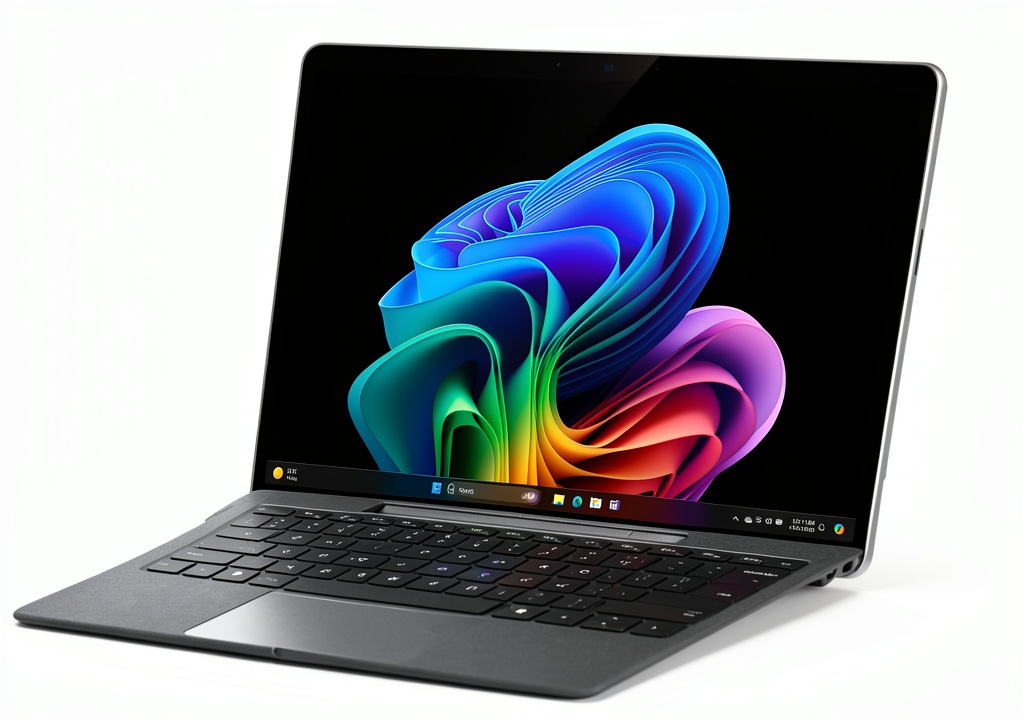
Microsoft’s design language has evolved rather than revolutionized, and that’s a good thing. The platinum aluminum body feels premium and durable, though I noticed it picks up fingerprints more easily than the matte black variant. The kickstand remains one of the most practical features – it adjusts to virtually any angle, making this device usable on your lap, a table, or even standing.
Where the design truly shines is in its balance. At just under two pounds, it’s light enough to use as a tablet for extended periods, yet substantial enough to feel like a proper computing device. The subtle rubber feet on the bottom prevent sliding, a small detail that makes a significant difference when using it on smooth surfaces.
Performance in Real Use
The Snapdragon X Elite processor represents a fundamental shift from Intel and AMD chips that have powered Windows devices for decades. In practical terms, this means you get exceptional battery efficiency but face some compatibility trade-offs.
During my testing, I used the Surface Pro 5G for a typical workday: multiple Chrome tabs, Microsoft Office applications, video conferencing, and light photo editing. The performance was consistently smooth, with no noticeable lag or stuttering. The device remained cool to the touch even during extended use – a significant advantage over many Intel-based ultrabooks.
However, I encountered one significant limitation: some specialized Windows applications simply wouldn’t run properly. While most mainstream software now has ARM-compatible versions, niche business applications and older software may require emulation, which can impact performance. This isn’t a deal-breaker for most users, but it’s something to verify before purchasing.
Display Quality
The 13-inch OLED panel is arguably the device’s standout feature. Colors pop with vibrancy I typically only see on premium smartphones, black levels are truly deep, and the 2880×1920 resolution provides crisp text and images. I used this device for both creative work and entertainment, and the visual experience was consistently impressive.
There’s one practical consideration many reviews miss: OLED displays consume more power when showing bright content with white backgrounds. During my testing, working primarily in light-themed applications reduced battery life by approximately 15% compared to using dark mode interfaces. This isn’t a flaw, but rather a characteristic of OLED technology that’s worth understanding.
5G Connectivity Experience
The built-in 5G isn’t just a checkbox feature – it fundamentally changes how you use the device. During a train journey between cities, I maintained consistent video call quality while colleagues on Wi-Fi-only devices struggled with spotty connections. The convenience of having truly mobile broadband means you can work from virtually anywhere without hunting for Wi-Fi passwords or dealing with insecure public networks.
However, this convenience comes at an ongoing cost. You’ll need a data plan from a carrier, which typically adds $20-$50 monthly to your ownership costs. For frequent travelers, this is easily justified. For users who primarily work from fixed locations with reliable Wi-Fi, it might be an unnecessary expense.
Battery Life Realities
Microsoft claims up to 14 hours of battery life, and in my testing, this was achievable with careful usage. With screen brightness at 50%, primarily using Microsoft Edge rather than Chrome, and focusing on productivity applications, I consistently reached 12-14 hours. More demanding usage with multiple applications, video streaming, and higher brightness reduced this to 8-10 hours – still impressive compared to most Windows laptops.
The practical implication of this battery life is that you can genuinely leave your charger behind for a full day of work or classes. This might seem like a minor convenience, but it fundamentally changes how you interact with the device – no more constantly monitoring battery percentage or searching for power outlets.
Pros & Cons
Advantages:
- Exceptional display quality: The OLED panel provides professional-grade color accuracy and contrast
- Genuine all-day battery: You can work through an entire day without needing a charger
- Always-connected convenience: 5G connectivity eliminates Wi-Fi dependency
- Versatile form factor: Functions equally well as tablet, laptop, or studio mode
- Premium build quality: Durable construction that feels worth the price
Disadvantages:
- ARM compatibility limitations: Some specialized software may not work optimally
- Premium pricing: Significant investment compared to traditional laptops with similar specs
- Accessory costs: Keyboard and pen sold separately add substantially to total cost
- Limited upgradeability: No user-replaceable components
- 5G ongoing costs: Requires separate data plan for connectivity features
Comparison & Alternatives
Cheaper Alternative: Surface Pro 9 (Intel)
The previous-generation Surface Pro 9 with Intel processors typically costs $300-$400 less while offering similar design and display quality. The key differences come down to connectivity and processing architecture. The Intel model lacks built-in 5G but offers broader software compatibility. If you primarily work in office environments with reliable Wi-Fi and need guaranteed compatibility with legacy Windows applications, the Pro 9 represents better value.
Premium Alternative: Surface Laptop Studio 2
At approximately $2,199, the Surface Laptop Studio 2 sits at a higher price point but offers significantly more power with Intel Core i7 processors and NVIDIA discrete graphics. This device targets creative professionals who need maximum performance for video editing, 3D modeling, or other demanding tasks. The unique hinged display provides additional flexibility, though it’s heavier and has shorter battery life than the Surface Pro 5G.
When to Choose Each
Choose Surface Pro 5G if: Mobility is your top priority, you frequently work outside traditional offices, and you value the tablet-laptop hybrid form factor.
Choose Surface Pro 9 if: You want the Surface experience but need maximum software compatibility and work primarily in Wi-Fi-enabled environments.
Choose Surface Laptop Studio 2 if: You need maximum processing power for creative workflows and can accept shorter battery life and higher weight.
Buying Guide / Who Should Buy
Best for Beginners
If you’re new to the Surface ecosystem, the Pro 5G offers a gentle learning curve with intuitive touch interface and straightforward setup. The device works well out of the box without requiring technical knowledge to optimize performance. However, beginners should verify that their essential applications are ARM-compatible before purchasing.
Best for Professionals
Mobile professionals who split time between office, home, and client locations will appreciate the always-connected capability and all-day battery life. The device excels for consultants, sales professionals, journalists, and anyone who needs reliable computing across multiple environments. The premium build quality also makes appropriate for client-facing situations.
Not Recommended For
Gamers: While the Snapdragon X Elite can handle casual gaming, it lacks the graphical power for serious gaming. The integrated Adreno graphics can’t compete with discrete GPUs.
Budget-conscious buyers: At $1,695 before accessories, this device commands a significant premium over traditional laptops with similar specifications.
Desktop replacement seekers: If you primarily need a stationary computer, you’ll get better performance and value from a traditional desktop or non-portable laptop.
FAQ
Is the Microsoft Surface Pro 5G worth the $1,695 price?
For the right user, absolutely. The combination of premium build quality, exceptional display, all-day battery, and built-in 5G justifies the price if you’ll actually use these features. If you primarily work from a fixed location with reliable Wi-Fi, you’re paying for capabilities you won’t fully utilize.
How does the Snapdragon X Elite compare to Intel processors?
The Snapdragon X Elite excels in power efficiency, enabling longer battery life and fanless operation. Intel processors generally offer better performance for demanding tasks and broader software compatibility. For most productivity tasks, users won’t notice a significant performance difference.
Can I use this as my only computer?
Yes, with caveats. If your workflow relies on mainstream applications like Microsoft Office, web browsing, and media consumption, it works excellently as a primary device. If you require specialized business software, development tools, or creative applications, verify ARM compatibility first.
How much does 5G service cost?
Carrier plans typically range from $20-$50 monthly for data service. Many providers offer tablet-specific plans that are more affordable than smartphone plans. Factor this ongoing cost into your decision.
Should I wait for the next model?
The current Surface Pro 5G represents a mature product with well-refined features. Unless you need specific capabilities rumored for future models (like larger screen sizes or different processor options), there’s little reason to delay purchase.



